Leaked Data Management
NordStellar's Leaked Data Management module provides continuous monitoring for compromised credentials and data related to your organization and its employees/customers. It proactively identifies leaked information across 3 data sources, allowing you to take action to mitigate risks and prevent account takeovers, fraud, and reputational damage.
Key Features
- Monitoring: Detects leaked data using your company assets (email addresses, phone numbers and domain names)s from a wide range of sources, including:
- Data Breaches
- Credential Lists (Combo Lists)
- Malware Infections (Infostealers)
- Automated Alerts: Receive real-time notifications when leaked data matching your monitored assets is discovered.
- Detailed Event Information: Access in-depth details about each leak, including the source, affected assets, and specific data points exposed.
- Risk Assessment: Understand the severity of each leak based on a calculated risk level (High, Medium, Low, Info).
- Prioritized Response: Focus your efforts on the most critical leaks based on risk level and affected assets.
- Resolution Tracking: Mark leaks as "Resolved" to track remediation progress.
- Filtering: Filter leaked data events based on various criteria, such as event type, risk level and date range.
- Search Functionality: Search bar to search for specifics within leaked data.
- API Integration: Export data and integrate with other security tools via the Platform Integrations API.
- Separate views: Dedicated sections for "Employees" and "Clients/Customers" to help isolate the leaks.
Monitored Data
The Leaked Data Management module monitors for the following types of information:
- Email Addresses / Phone Numbers: Both corporate and personal email addresses or phone numbers can be monitored to detect data breaches, combo lists, and malware infections.
- Domain Names: Monitor your organization's domain names for compromised customer data from malware infections or combolists.
Data Sources
NordStellar's Leaked Data Management module leverages a combination of sources, including:
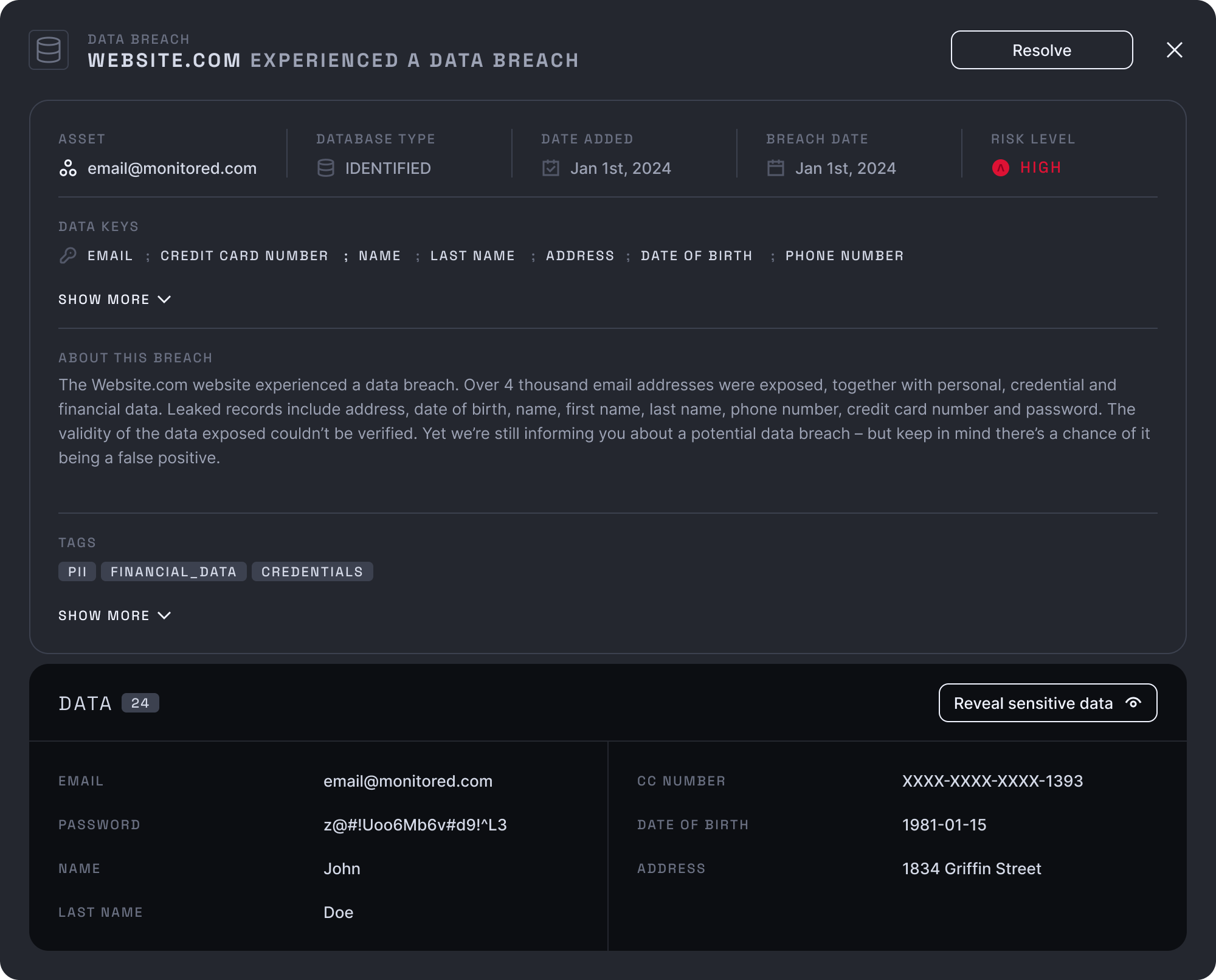
- Data Breaches: Publicly disclosed data breaches from various websites and online services. Data breaches may contain up to 60 different data points, including email addresses, passwords, names, addresses, and more.
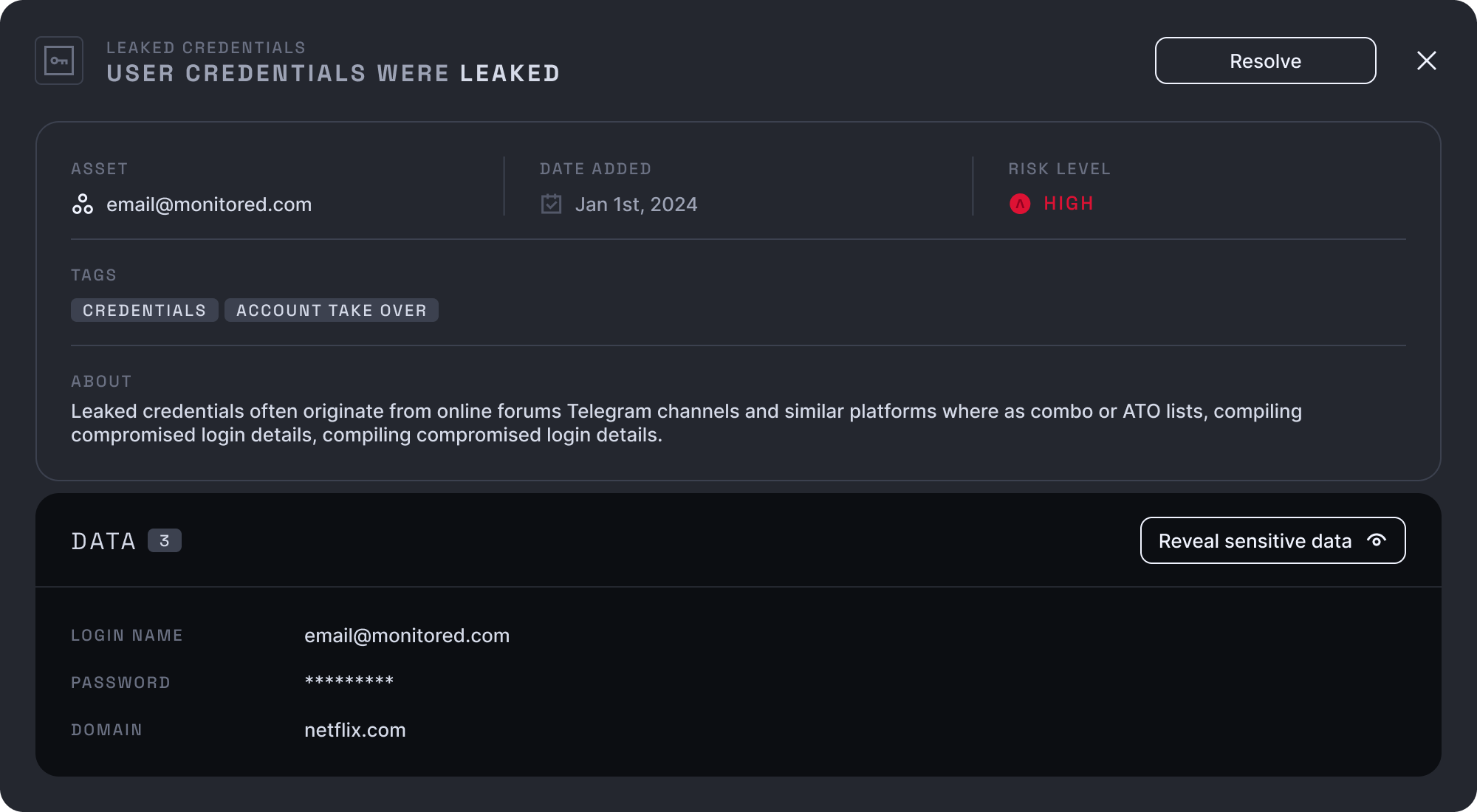
- Credential Lists (Combo Lists): Aggregated lists of compromised credentials circulating on the dark web and other forums.
- Malware Infections (Infostealers): Data extracted from devices infected with information-stealing malware. This includes credentials, cookies, autofill data, files, and more.

How It Works
- Asset Monitoring: You define the assets to be monitored, including employee email addresses, domains and potentially customer data.
- Continuous Scanning: NordStellar continuously scans a vast range of data sources for leaks matching your monitored assets.
- Event Generation: When a match is found, a new "Event" is generated in the NordStellar platform.
- Risk Assessment: Each event is assigned a risk level (High, Medium, Low, Info) based on the type of data leaked and the potential impact.
- Alerting: Real-time alerts are triggered based on your configured notification rules (see the Notificationssetup page).
- Investigation & Remediation: You can view detailed event information, including the source of the leak, affected assets, and specific data points exposed. This allows you to take appropriate action, such as resetting passwords, notifying affected individuals, and strengthening security controls.
- Resolution Tracking: Events can be marked as "Resolved" to track progress and maintain a clear record of incident response.
Using the Leaked Data Module
The Leaked Data Management module is divided into two main sections:
- Employees: This section focuses on leaked data associated with your organization's employees, helping you protect corporate accounts and prevent account takeovers.
- Customers: This section focuses on leaked data associated with the customers.
The functionality available in employees view:
- Filtering: Narrow down the results by event type, risk level, date range, and search by asset.
- Sorting: Sort results by date added or risk level.
- Event Details: Click on an event to view detailed information, as shown in the "Event Details" section above.
- Resolution: Mark events as "Resolved."
The functionality available in customers view:
- Customer Credentials Table: A straightforward table showing leaked customer credentials including email, username, password, and the URL of the login page.
- Source Information: Each entry displays the source (either malware infection or combo list), source name, infection date, and date the leak was added to the system.
Corporate vs. Non-Corporate Assets
NordStellar distinguishes between corporate and non-corporate assets to help you prioritize threats that directly impact your organization. This distinction is particularly important within the Malware Infections event type, where a single infection can expose a mix of personal and corporate data. To protect user privacy and focus on organizational risk, NordStellar hides non-corporate data points within malware infection details.
Identification:
-
Email Addresses: An email address is considered corporate if:
- Its domain matches a domain you are actively monitoring (e.g.,
@yourcompany.com). - It is explicitly added as an email asset, even if the domain doesn't match a monitored domain (e.g., a personal email address used for business purposes or VIP monitoring).
- Its domain matches a domain you are actively monitoring (e.g.,
-
Malware Infections: Because malware infections often capture a wide range of data from a user's device, a more granular approach is used to identify corporate assets:
- Credentials:
- If a leaked credential's email address matches a monitored corporate email domain, it's considered corporate.
- If a leaked credential's username matches a monitored corporate email domain, it's considered corporate.
- If a leaked credential's associated URL contains a monitored corporate domain, the credential is also considered corporate. This provides an additional layer of protection even if the email/username itself doesn't directly match.
- Cookies: A cookie is flagged as corporate if its domain matches a monitored corporate domain.
- Autofills: Autofill data is analyzed, and if the value field of an autofill entry contains any of the monitored corporate domains, it's considered corporate.
- Files: Files will not be shown in UI.
- Credit Cards: Credit card details will be masked.
- Credentials:
Handling of Non-Corporate Data:
Within the details of a Malware Infection event, data points that are not identified as corporate (based on the criteria above) are hidden from the user interface. This is done to:
- Focus on Organizational Risk: Prioritize the display of information directly relevant to your company's security.
- Protect Privacy: Minimize the exposure of potentially sensitive personal data belonging to employees that is unrelated to corporate assets.
For example, if a malware infection event includes 100 leaked credentials, but only 5 match the criteria for corporate assets, only those 5 corporate credentials (and associated details) will be displayed. The other 95 will be counted, but their details will be hidden. This is reflected in the event details and counts (e.g., "Credentials: 40," but only showing corporate credentials).
This approach ensures that you are alerted to threats impacting your organization while respecting the privacy of individuals.
FAQ
-
What actions should I take if a data breach is detected?
The recommended actions will vary depending on the nature of the breach and the data exposed. Generally, you should:
- Assess the scope of the breach and identify affected individuals.
- Reset compromised passwords and implement multi-factor authentication.
- Notify affected individuals and relevant authorities, as required by law.
- Review and strengthen your security controls to prevent future breaches.
-
Can I integrate this module with my other security tools?
Yes, NordStellar offers API integration capabilities, allowing you to connect with SIEM platforms and other security tools. See the Platform Integrations API documentation for details.
-
I see a lot of old employees in your leaked data, what can I do?
The best course of action is to provide an email list of your current employees to your account manager and they can take care of it.
-
What can I do to prevent account take over attacks on my customers?
NordStellar provides additional services and their expertise to help you prevent account take over attacks on your customers. We recommend looking into our Zero Knowledge API and contacting your account manager for more information.